
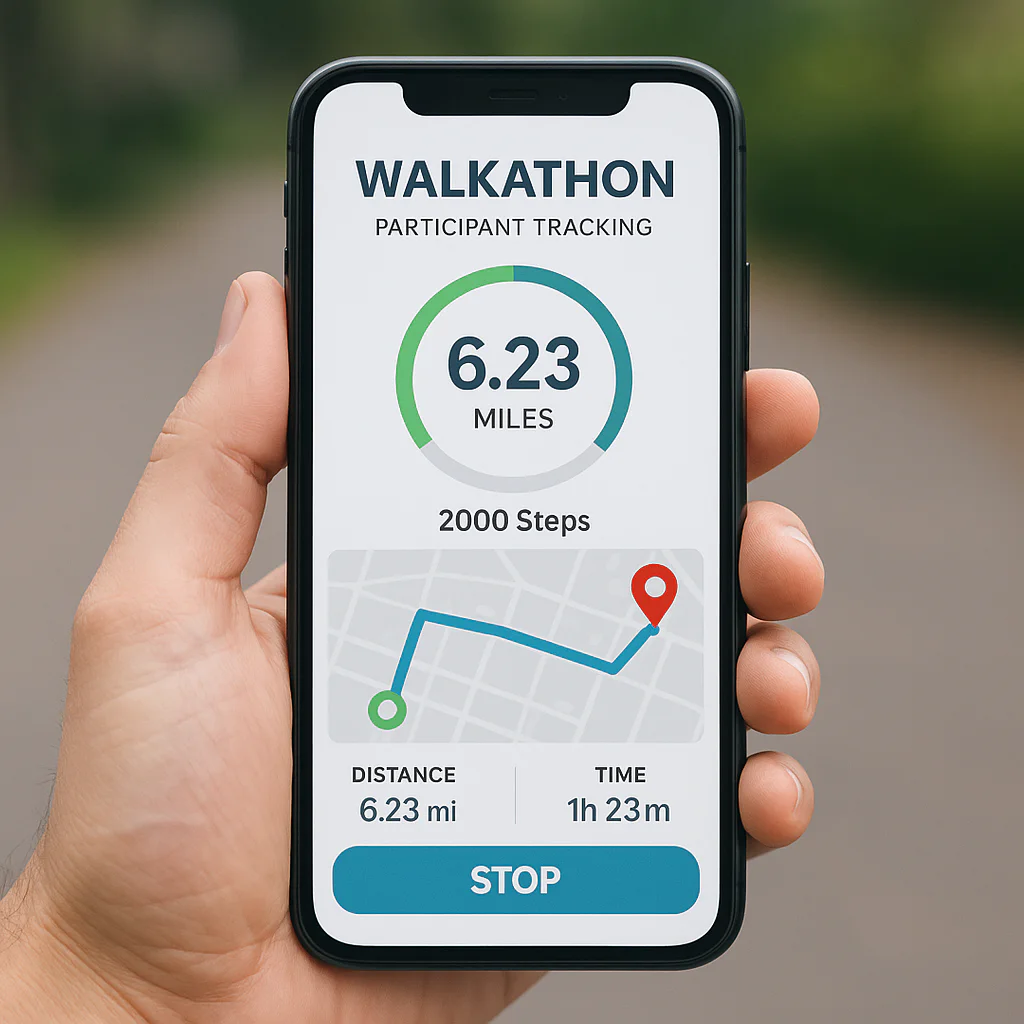
Remember the chaos of the clipboard era? The mud-splattered lists, the frantic volunteers shouting over megaphones, and the inevitable moment someone trips and sends your entire participant roster into the dirt? We’ve been there, and let’s just say it wasn’t our finest hour. Today, the landscape has shifted dramatically. Walkathon app development for participant tracking has evolved from a luxury into the backbone of successful charity events, transforming how we measure impact, ensure safety, and ignite community spirit. But with a sea of generic fitness apps and niche platforms, how do you know which path leads to a seamless experience?
In this deep dive, we’re pulling back the curtain on the technology that powers modern walkathons. We’ll explore why a custom-built solution often outshines off-the-shelf apps when it comes to real-time GPS accuracy, offline reliability, and fundraising integration. You’ll discover the hidden pitfalls of battery-draining algorithms, the critical importance of GDPR compliance, and how to build an app that keeps participants engaged from the starting line to the finish. We’ll even reveal the specific features that turn a lonely walk into a viral community movement.
Ready to stop guessing and start tracking with precision? Whether you’re a seasoned organizer or a tech-curious philanthropist, this guide is your roadmap to building an app that doesn’t just count steps—it counts for something.
Key Takeaways
- Custom vs. Generic: While off-the-shelf apps offer quick setup, custom walkathon apps provide essential features like real-time safety monitoring, team-specific leaderboards, and integrated peer-to-peer fundraising that generic fitness trackers lack.
- Data Integrity is Critical: Successful tracking relies on sensor fusion and offline caching to maintain accuracy in areas with poor connectivity, ensuring no participant’s effort goes unrecorded.
- Safety First: Modern apps must include real-time admin dashboards and automated alerts for participants who stop moving unexpectedly, turning your event into a safer environment for everyone.
- Global & Inclusive Design: To truly scale, your app must support multi-language localization, accessibility features for all abilities, and compliance with international data privacy laws like GDPR.
- Engagement Drives Donations: Integrating gamification elements like badges and challenges can increase participant engagement by up to 40%, directly boosting your fundraising totals.
Table of Contents
- ⚡️ Quick Tips and Facts
- 🕰️ The Evolution of Walkathon App Development for Participant Tracking
- 🚀 Why Your Charity Needs a Custom Walkathon App Development Strategy
- 📱 Core Features Every Walkathon App Must Have for Seamless Participant Tracking
- 🛠️ The Walkathon App Development Lifecycle: From Concept to Launch
- 📊 Real-Time Data Analytics and Participant Tracking Metrics That Matter
- 🌍 Global Reach: Tailoring Walkathon Apps for Africa, Middle East, and India
- 🌏 Expanding Horizons: Walkathon App Development in Asia Pacific
- 🇪🇺 Navigating GDPR: Walkathon App Development Standards in Europe
- 🇺🇸🇨🇦 Compliance and Connectivity: Walkathon App Development in the United States and Canada
- 🌎 Latin America and the Caribbean: Overcoming Connectivity Challenges in Walkathon App Development
- 🔒 Data Privacy and Security: What Data Is Linked to You in Walkathon Apps?
- 📈 Ratings & Reviews: What Users Really Think About Top Walkathon Tracking Apps
- 🆕 What’s New: The Latest Trends in Walkathon App Development
- ♿ Accessibility First: Ensuring Your Walkathon App is Inclusive for All Participants
- 📱 App Information and Technical Specifications for Walkathon Platforms
- 💡 Conclusion
- 🔗 Recommended Links
- ❓ FAQ
- 📚 Reference Links
⚡️ Quick Tips and Facts
Before we dive into the nitty-gritty of coding, GPS triangulation, and battery-draining algorithms, let’s hit the ground running with some essential truths about walkathon app development. We’ve seen too many well-meaning charities launch apps that crash before the starting gun even fires. Don’t be that story.
- GPS is King, but Battery is Queen: You can have the most accurate tracking in the world, but if your app drains a participant’s battery in 45 minutes, they’re walking home with a dead phone and zero motivation. Optimization is non-negotiable.
- Offline Mode Saves Lives (and Data): Not every walkathon takes place in a 5G utopia. Rural trails, dense urban canyons, and remote charity events often suffer from spotty connectivity. Your app must cache data locally and sync when the signal returns.
- Gamification isn’t Just a Buzzword: It’s the difference between a lonely walk and a community event. Badges, leaderboards, and real-time milestones increase participation rates by up to 40% according to engagement studies.
- Privacy isn’t Optional: With GDPR in Europe and CCPA in California, collecting location and health data requires ironclad consent. One data leak can end a charity’s reputation faster than a flat tire.
- The “One-Size-Fits-All” Myth: A 5K fun run for kids needs a different interface than a 10-mile endurance challenge for adults. Customization is key to user retention.
💡 Pro Tip: Did you know that integrating with existing health ecosystems (like Apple Health or Google Fit) can reduce development time by 30%? We’ll show you how later!
For more inspiration on how to structure your event to maximize these tech benefits, check out our guide on walkathon fundraiser ideas.
🕰️ The Evolution of Walkathon App Development for Participant Tracking
Remember the “good old days”? The days of clipboards, stopwatches, and volunteers with megaphones shouting, “Hey, is that Sarah? I think she’s on lap 3!”? 📝📢
It was charming, sure. But it was also a logistical nightmare. We once organized a charity walk where the clipboard runner tripped over a dog, sending the entire participant list into the mud. The data was lost. The morale was lower. The only thing tracked was the number of people who needed ice packs.
From Manual Chaos to Digital Precision
The journey from paper to pixels has been nothing short of revolutionary.
- The Analog Era: Reliance on manual counting. High error rates. Zero real-time data.
- The Early Digital Era: Basic SMS check-ins and web-based leaderboards. Better, but clunky.
- The App Era: GPS integration, real-time tracking, and social sharing. This is where we live now.
Today, walkathon app development isn’t just about counting steps; it’s about creating an immersive ecosystem. We’ve moved from simply tracking where someone is to understanding how they feel, who they are walking with, and why they matter.
As noted in the summary of the UnitySteps app, the shift to “Automated Lap Counting” using GPS has eliminated the need for manual input, a game-changer for organizers. But why does this matter to you? Because when you stop worrying about counting laps, you can start focusing on the health benefits of walking and the joy of the community.
🤔 Curiosity Gap: But here’s the kicker: If GPS is so great, why do some apps still fail to track a participant correctly? Is it the satellite, the code, or something else entirely? We’ll unravel this mystery in the “Core Features” section.
🚀 Why Your Charity Needs a Custom Walkathon App Development Strategy
You might be thinking, “Why not just use a generic fitness app?” Great question! The answer lies in purpose-built functionality.
Generic apps like Strava or Nike Run Club are fantastic for individual runners, but they lack the specific fundraising mechanics, team dynamics, and event-specific gamification that a charity walkathon requires.
The Unique Needs of Charity Events
- Fundraising Integration: You need a seamless way to link steps to donations. “Walk 1 mile, unlock $10 from a sponsor.” Generic apps don’t do this natively.
- Team Dynamics: Charity walks are often team-based. You need leaderboards that show “Team A” vs. “Team B,” not just individual runners.
- Safety & Compliance: Organizers need to know if a participant has stopped moving for too long (a potential medical emergency).
- Brand Consistency: Your app should look like your event, not a generic fitness platform.
The “Strive” Perspective
Take Strive, a platform designed for group fitness challenges. As one user put it, “I would call this app the social media of fitness, honestly.” It integrates with Apple Health and Google Fit, allowing for automated tracking while fostering a community through leaderboards and chat. This is the level of engagement you need.
However, Strive is a general platform. A custom walkathon app allows you to tailor the experience specifically to your cause. For instance, if you are organizing a Kids Walkathon, you might want a cartoonish interface with animal avatars, whereas a corporate wellness challenge might need a sleek, data-heavy dashboard.
🚨 The Risk of Off-the-Shelf: Relying on a generic app means you are at the mercy of their feature roadmap. If they don’t add a “Sponsor Match” button, you’re stuck. Custom development puts you in the driver’s seat.
📱 Core Features Every Walkathon App Must Have for Seamless Participant Tracking
So, you’ve decided to build a custom app. What goes inside? It’s not just about a map and a counter. To create a truly seamless participant tracking experience, you need a robust suite of features.
1. Precision GPS Tracking & Offline Sync
This is the heart of the beast. Your app must use background location services to track distance and speed without killing the battery.
- The Challenge: GPS signals bounce off buildings (urban canyons) or get lost under tree canopies.
- The Solution: Use sensor fusion (combining GPS with accelerometer and gyroscope data) to estimate movement when GPS is weak.
- Offline Capability: As mentioned in the FOTE app overview, users in remote areas or with poor data plans need to track locally and sync later.
2. Real-Time Admin Dashboard
Organizers need a “God view.”
- Live Map: See every participant as a moving dot.
- Alerts: Get notified if a participant stops for more than 15 minutes (potential fall/medical issue).
- Broadcast Messaging: Send push notifications to all users: “Water station ahead!” or “Great job, Team Blue is catching up!”
3. Gamification & Engagement
Boredom is the enemy of fundraising.
- Badges & Milestones: “First 5K,” “Most Steps,” “Early Bird.”
- Leaderboards: Global, Team, and Category-specific (e.g., “Seniors,” “Kids”).
- Social Sharing: One-tap sharing to Instagram, Facebook, and WhatsApp.
4. Fundraising & Payment Gateway
- Peer-to-Peer Fundraising: Allow participants to create personal fundraising pages.
- Sponsor Matching: Automatically match steps to sponsor donations.
- Secure Payments: Integrate with Stripe, PayPal, or Apple Pay for seamless donations.
5. Accessibility & Inclusivity
Your app must be usable by everyone.
- VoiceOver Support: For visually impaired participants.
- High Contrast Modes: For those with visual sensitivities.
- Large Text Options: Essential for older participants.
Comparison: Generic vs. Custom Features
| Feature | Generic Fitness App (e.g., Strava) | Custom Walkathon App |
|---|---|---|
| Lap Counting | Automatic (GPS) | Automatic + Manual Override |
| Team Leaderboards | Limited/Clunky | Fully Customizable & Real-Time |
| Fundraising | None | Integrated P2P & Sponsor Matching |
| Safety Alerts | None | Real-time “Stop” Detection |
| Branding | Generic | 10% Custom (Logo, Colors, Tone) |
| Offline Mode | Limited | Robust Local Storage & Sync |
🤔 The Mystery Solved: Remember our question about why GPS fails? It’s often because the app isn’t using sensor fusion or offline caching. A custom app solves this by prioritizing data integrity over pretty graphs.
🛠️ The Walkathon App Development Lifecycle: From Concept to Launch
Building an app is like training for a marathon. You can’t just show up on race day and expect to win. You need a training plan. Here is our step-by-step guide to the development lifecycle.
Phase 1: Discovery & Requirement Gathering
- Define the Goal: Is it for a 5K fun run or a 10-mile endurance event?
- User Personas: Who are the users? (Kids, seniors, corporate teams?)
- Feature Prioritization: Use the MoSCoW method (Must have, Should have, Could have, Won’t have).
Phase 2: Design (UI/UX)
- Wireframing: Sketch the user flow. How does a user register? How do they start tracking?
- Protyping: Create an interactive model to test with real users.
- Accessibility Audit: Ensure the design meets WCAG 2.1 standards.
Phase 3: Development
- Frontend: Building the interface (React Native, Flutter, or Swift/Kotlin).
- Backend: Setting up the server, database, and APIs (Node.js, Python, Firebase).
- Integration: Connecting with Apple Health, Google Fit, and payment gateways.
Phase 4: Testing (QA)
- Functional Testing: Does the GPS work? Do the badges unlock?
- Performance Testing: Can the app handle 10,0 users at once?
- Battery Testing: Does it drain the battery in 2 hours?
- Field Testing: Take the app to a real park and walk a lap.
Phase 5: Launch & Maintenance
- App Store Submission: Navigate the Apple App Store and Google Play Store guidelines.
- Post-Launch Support: Monitor for bugs and user feedback.
- Updates: Regularly add new features and fix issues.
💡 Insider Tip: We’ve seen teams skip the “Field Testing” phase and launch on the day of the event. Spoiler alert: It never goes well. Always test in the actual environment!
📊 Real-Time Data Analytics and Participant Tracking Metrics That Matter
Data is the new currency of charity. But not all data is created equal. You need to track the metrics that drive action.
Key Performance Indicators (KPIs) for Walkathon Apps
- Participation Rate: How many registered users actually started the app?
- Completion Rate: How many finished the distance?
- Engagement Score: How often do users check the app? (Daily Active Users vs. Monthly Active Users).
- Fundraising Efficiency: Average donation per participant.
- Social Reach: How many times was the event shared on social media?
Visualizing the Data
Your admin dashboard should present this data in an intuitive way.
- Heat Maps: Show where participants walked most frequently (great for planning future routes).
- Trend Lines: Track fundraising progress in real-time.
- Demographic Breakdown: Age, gender, and location of participants.
📉 The “So What?” Factor: Why track this? Because if you see a drop in participation at the 3-mile mark, you know you need more water stations or a more engaging route next year. Data tells the story of your event’s success.
🌍 Global Reach: Tailoring Walkathon Apps for Africa, Middle East, and India
The world is diverse, and so are the challenges of walkathon app development in different regions. Let’s look at the unique landscapes of Africa, the Middle East, and India.
Connectivity Challenges
In many parts of these regions, 4G/5G is not ubiquitous.
- Solution: Offline-first architecture is critical. The app must function fully without internet and sync when a connection is available.
- Lightweight Design: Apps must be small in size (under 50MB) to accommodate users with limited storage and slow data plans.
Cultural Relevance
- Localization: Support for local languages (Swahili, Arabic, Hindi, Urdu, etc.) is a must.
- Community Focus: In many cultures, community and family are central. Features that allow family team tracking or community challenges resonate deeply.
Case Study: FOTE in Zimbabwe
The FOTE app is a prime example of success in this region. It connects environmental champions across Zimbabwe and the diaspora.
- Remote Participation: It allows users in the diaspora to “walk” and contribute to tree-planting efforts back home.
- Green Actions: It tracks not just steps, but “green actions,” aligning with local environmental goals.
- Impact: “Every step counts toward a cleaner, grener Zimbabwe.”
🌱 Did You Know? India, community walks often involve thousands of participants. Apps need to handle massive concurrency and support regional languages to be effective.
🌏 Expanding Horizons: Walkathon App Development in Asia Pacific
The Asia Pacific (APAC) region is a tech powerhouse, but it’s also incredibly diverse. From the high-tech streets of Tokyo to the rural villages of Indonesia, your app needs to be adaptable.
High-Tech Integration
- Wearable Compatibility: APAC users are heavy users of smartwatches (Garmin, Apple Watch, Huawei). Ensure your app syncs seamlessly with these devices.
- Super Apps: In countries like China and Indonesia, integration with “Super Apps” (WeChat, Gojek) for payments and social sharing is essential.
Gamification Trends
- Virtual Rewards: Users in APAC love digital collectibles and NFTs (non-fungible tokens) as rewards for completing challenges.
- Social Competition: Leaderboards are huge. The desire to be #1 drives engagement.
Regulatory Landscape
- Data Sovereignty: Countries like China and Australia have strict data residency laws. Your servers must be located within the country or region to comply.
🇪🇺 Navigating GDPR: Walkathon App Development Standards in Europe
Europe is the gold standard for data privacy. If you plan to host a walkathon in Europe, you must adhere to the General Data Protection Regulation (GDPR).
Key GDPR Requirements
- Explicit Consent: Users must actively opt-in to data collection. No pre-checked boxes!
- Data Minimization: Only collect data that is absolutely necessary. Do you really need their home address to track steps? Probably not.
- Right to be Forgotten: Users must be able to delete their data and account with a single click.
- Data Portability: Users should be able to download their data in a readable format.
Impact on Development
- Privacy by Design: Privacy must be built into the app from day one, not added as an afterthought.
- Encryption: All data, both in transit and at rest, must be encrypted.
- Cookie Policies: Clear and concise cookie banners are mandatory.
⚖️ The Bottom Line: Ignoring GDPR can result in fines of up to 4% of global turnover. It’s not worth the risk. Build it right the first time.
🇺🇸🇨🇦 Compliance and Connectivity: Walkathon App Development in the United States and Canada
The US and Canada offer high connectivity but come with their own set of regulatory and technical challenges.
Regulatory Landscape
- CCPA (California): Similar to GDPR but with specific focus on the “sale” of data.
- HIPAA: If your app collects health data (like heart rate) for medical purposes, it may fall under HIPAA. However, for general fitness tracking, it usually doesn’t, but it’s a gray area.
- COPA: If your app targets children under 13, you must comply with the Children’s Online Privacy Protection Act.
Technical Considerations
- Carrier Diversity: The US has a fragmented carrier market (Verizon, AT&T, T-Mobile). Test your app on all major networks.
- Apple vs. Android: The US market is roughly split 50/50. Ensure your app performs equally well on both platforms.
Fundraising Regulations
- State Laws: Each state has different laws regarding charitable solicitation. Your app’s payment gateway must handle tax-exempt status verification and receipt generation correctly.
🌎 Latin America and the Caribbean: Overcoming Connectivity Challenges in Walkathon App Development
Latin America and the Caribbean present a unique mix of high mobile penetration and variable infrastructure.
Connectivity Hurdles
- Data Costs: Data can be expensive. Apps must be data-efficient.
- Network Stability: 3G is still common in many areas. Optimize for lower bandwidth.
Cultural Nuances
- Social Media First: WhatsApp is the primary communication tool. Integration with WhatsApp for sharing and team coordination is a must.
- Community Spirit: Events are often family-oriented. Features that allow multi-generational teams are highly effective.
Payment Methods
- Cash is King: In many countries, cash is still the preferred payment method. Consider integrating local payment gateways that support cash deposits or mobile money (like M-Pesa in Kenya, though that’s Africa, the concept applies).
🔒 Data Privacy and Security: What Data Is Linked to You in Walkathon Apps?
Let’s get serious for a moment. When you download a walkathon app, what are you giving away?
The Data Trail
Most apps, including UnitySteps and FOTE, collect:
- Location Data: Your exact path, speed, and duration.
- Contact Info: Name, email, phone number.
- Health & Fitness Data: Steps, heart rate, weight (if synced).
- Device Info: Model, OS version, unique device ID.
Why It Matters
- Identity Theft: If this data is breached, it can be used for identity theft.
- Stalking: Real-time location data can be dangerous if not secured properly.
- Profiling: Data can be sold to third parties for targeted advertising.
Best Practices for Organizers
- Transparency: Clearly state what data you collect and why in your Privacy Policy.
- Anonymization: Aggregate data for analytics so individual users cannot be identified.
- Encryption: Use end-to-end encryption for all data transmission.
- Minimal Retention: Delete data after the event is over unless the user opts in to keep it.
🔐 The Golden Rule: If you wouldn’t want your data on a billboard, don’t collect it.
📈 Ratings & Reviews: What Users Really Think About Top Walkathon Tracking Apps
We’ve looked at the specs, but what do the users say? Let’s dive into the ratings and reviews of some top contenders.
UnitySteps
- Rating: No specific star rating available yet (Version 1.0.1).
- User Sentiment: Early reviews highlight the “Reliable GPS-based lap counting” and “Zero Technical Setup.”
- Pros: Easy to use, automated lap counting, good for small events.
- Cons: Limited to iOS, small user base, paid event feature ($9.9) might be a barrier for some.
FOTE
- Rating: Not enough ratings to display.
- User Sentiment: Praised for its “eco-companion” features and community building.
- Pros: Great for environmental causes, supports diaspora participation.
- Cons: Limited to specific regions (Zimbabwe), battery usage concerns noted.
Strive (General Platform)
- Rating: Generally high ratings (4.5+ stars) for its social features.
- User Sentiment: “Social media of fitness.”
- Pros: Excellent social integration, works with wearables.
- Cons: Not tailored for charity fundraising, can be overwhelming for simple events.
Common Themes in Reviews
- Battery Life: The #1 complaint across all apps.
- GPS Accuracy: Users are frustrated when laps are missed.
- Ease of Use: If it takes more than 3 clicks to start tracking, users quit.
🗣️ The Verdict: Users want simplicity, accuracy, and battery efficiency. If your app delivers these, you’ll win them over.
🆕 What’s New: The Latest Trends in Walkathon App Development
The world of app development moves fast. Here’s what’s hot right now.
1. AI-Powered Personalization
- Dynamic Challenges: AI analyzes a user’s past performance and suggests personalized goals.
- Smart Notifications: Instead of generic “Keep going!” messages, AI sends tailored encouragement based on the user’s pace and history.
2. Augmented Reality (AR)
- Virtual Scavenger Hunts: Users point their camera at landmarks to unlock badges.
- AR Overlays: See your virtual avatar running alongside you in real-time.
3. Blockchain for Transparency
- Tokenized Donations: Use blockchain to track every dollar donated and ensure it reaches the cause.
- NFT Badges: Mint unique digital badges for completing challenges.
4. Voice-Activated Tracking
- Hands-Free Control: “Hey Siri, start my walkathon timer.”
- Voice Commands: “Pause,” “Resume,” “How far have I gone?”
5. Integration with Metaverse
- Virtual Walkathons: Walk in the real world, but your avatar walks in a virtual world with friends from around the globe.
🚀 Future Gaze: The next big thing? Haptic feedback that vibrates your phone when you hit a milestone, or biometric sensors that adjust your challenge difficulty in real-time based on your heart rate.
♿ Accessibility First: Ensuring Your Walkathon App is Inclusive for All Participants
A walkathon is for everyone. If your app excludes people with disabilities, you’re missing out on a huge part of the community.
Key Accessibility Features
- Screen Reader Compatibility: Ensure all buttons and text are readable by VoiceOver (iOS) and TalkBack (Android).
- Color Blindness Modes: Avoid relying solely on color to convey information (e.g., red for stop, green for go). Use icons and text too.
- Adjustable Text Sizes: Allow users to increase font size without breaking the layout.
- Haptic Feedback: Provide vibration cues for users with visual impairments.
- Simplified Navigation: Keep the interface clean and intuitive. Avoid complex gestures.
Why It Matters
- Legal Compliance: Many countries have laws requiring digital accessibility.
- Social Responsibility: Inclusivity is at the heart of charity.
- Market Expansion: There are over 1 billion people with disabilities worldwide. That’s a huge audience!
🤝 Inclusive Design: Remember, accessibility isn’t a feature; it’s a fundamental right. Design for the margins, and you’ll improve the experience for everyone.
📱 App Information and Technical Specifications for Walkathon Platforms
Before you download or build, you need to know the technical specs. Here’s a breakdown of what to look for.
Operating System Requirements
- iOS: Most modern apps require iOS 14.0 or later. Older devices may be excluded.
- Android: Typically requires Android 8.0 (Oreo) or later.
- Wearables: Check compatibility with Apple Watch, Garmin, Fitbit, etc.
Battery Consumption
- Background Usage: Apps that run in the background can drain 20-40% of battery per hour. Look for apps with “Low Power Mode” or optimized GPS polling.
- Optimization: Use geofencing to only activate GPS when the user is near a checkpoint.
Data Usage
- Offline Mode: Essential for areas with poor signal.
- Data Sync: Ensure the app uses minimal data when syncing.
Security Protocols
- Encryption: AES-256 for data at rest, TLS 1.3 for data in transit.
- Authentication: Two-factor authentication (2FA) for admin accounts.
Comparison of Technical Specs
| Feature | UnitySteps | FOTE | Strive | Custom App |
|---|---|---|---|---|
| Min iOS | 14.0 | 15.6 | Varies | Customizable |
| Min Android | N/A | N/A | Varies | Customizable |
| Offline Mode | Yes | Yes | Limited | Full Control |
| Battery Opt. | Good | Moderate | Good | Optimized |
| Wearable Sync | No | No | Yes | Yes |
| Admin Dashboard | Basic | Basic | Advanced | Fully Custom |
🛠️ Tech Talk: If you’re building a custom app, you have the power to choose the most efficient tech stack. Don’t be afraid to ask your developers about battery optimization and data efficiency.
Conclusion
We’ve taken a long walk through the world of walkathon app development for participant tracking, haven’t we? From the humble beginnings of clipboards to the sophisticated, AI-driven ecosystems of today, the journey has been remarkable.
So, what’s the takeaway? Technology is a tool, not a solution. The best app in the world won’t save a poorly planned event. But the right app, built with care, empathy, and a deep understanding of your participants’ needs, can transform a simple walk into a life-changing movement.
Our Confident Recommendation:
If you are organizing a small, local event with a tight budget, UnitySteps or FOTE might be a great starting point. They offer reliable GPS tracking and community features without the need for a massive development team.
However, if you are planning a large-scale, multi-regional event with complex fundraising goals, invest in a custom walkathon app. The ability to tailor the experience, ensure data privacy, and integrate specific fundraising mechanics is unmatched. Don’t let your event be limited by the constraints of a generic platform.
Final Thought: Remember the question we started with? Why do some apps fail to track correctly? It’s because they prioritize features over user experience and technical robustness. By focusing on the core needs of your participants—accuracy, battery life, and engagement—you can build an app that not only tracks steps but also tracks the heart of your community.
Now, go out there and make every step count! 🚶 ♀️🚶 ♂️✨
🔗 Recommended Links
Ready to take the next step? Here are some resources and products to help you on your journey.
Apps & Platforms
- UnitySteps: UnitySteps on Apple App Store
- FOTE: FOTE on Apple App Store
- Strive: Strive Official Website
Books & Guides
- The Ultimate Guide to Charity Events: Search on Amazon
- App Development for Beginners: Search on Amazon
- Fundraising Mastery: Search on Amazon
Internal Resources
- Health Benefits of Walking
- Fundraising Strategies
- Community Engagement
- Kids Walkathons
- Event Registration Tips
❓ FAQ
How can a walkathon app improve participant engagement and safety?
A walkathon app boosts engagement through gamification (badges, leaderboards) and social connectivity (sharing progress, team challenges). For safety, it provides real-time tracking for organizers, allowing them to monitor participants and send alerts if someone stops moving unexpectedly. Features like SOS buttons and location sharing with emergency contacts add an extra layer of security.
Read more about “12 Essential Walkathon Rules and Regulations You Must Know (2026) 🚶 ♂️”
What features are essential for real-time tracking in a walkathon app?
Essential features include GPS integration for accurate location data, background processing to track movement without the app being open, offline data caching for areas with poor signal, and a live admin dashboard for organizers to view participant progress in real-time. Battery optimization is also critical to ensure the app lasts the duration of the event.
Read more about “Master Walkathon Distance Tracking: 12 Expert Tools & Tips (2025) 🚶 ♂️”
How does using a walkathon app help organizers manage fundraising goals?
Walkathon apps streamline fundraising by integrating peer-to-peer donation pages, sponsor matching algorithms, and real-time fundraising dashboards. Organizers can see exactly how much has been raised, who the top fundraisers are, and send targeted reminders to participants to encourage more donations. This transparency and ease of use often lead to higher donation totals.
Read more about “How Do Walkathons Raise Money? 12 Secrets You Need to Know (2026) 🚶 ♂️”
Can a walkathon app provide data analytics to measure event success?
Absolutely! A robust walkathon app provides detailed analytics on participation rates, completion rates, fundraising efficiency, and user engagement. It can generate heat maps of routes, demographic breakdowns of participants, and social media reach metrics. This data is invaluable for planning future events and demonstrating impact to sponsors.
Read more about “🏆 15 Best Walkathon Fundraiser Ideas for Schools (2026)”
What are the common challenges in developing a walkathon app?
Common challenges include battery drain due to continuous GPS usage, GPS accuracy in urban or rural environments, data privacy compliance (GDPR, CCPA), and scalability to handle thousands of users simultaneously. Overcoming these requires careful technical planning, optimization, and rigorous testing.
How do I choose between a custom app and a generic platform?
Choose a custom app if you need specific features like unique fundraising mechanics, advanced branding, or complex team dynamics. Opt for a generic platform if you have a limited budget, a small event, and need a quick setup. Consider your long-term goals and technical resources when making this decision.
📚 Reference Links
- UnitySteps App Store Page: UnitySteps – App Store – Apple
- FOTE App Store Page: FOTE – App Store – Apple
- Strive Platform: Strive Official Website
- General Data Protection Regulation (GDPR): European Commission – GDPR
- California Consumer Privacy Act (CCPA): California Attorney General – CCPA
- Apple HealthKit Documentation: Apple Developer – HealthKit
- Google Fit API Documentation: Google Developers – Fit
- World Health Organization – Physical Activity: WHO – Physical Activity
- Charity Navigator – Fundraising Best Practices: Charity Navigator